


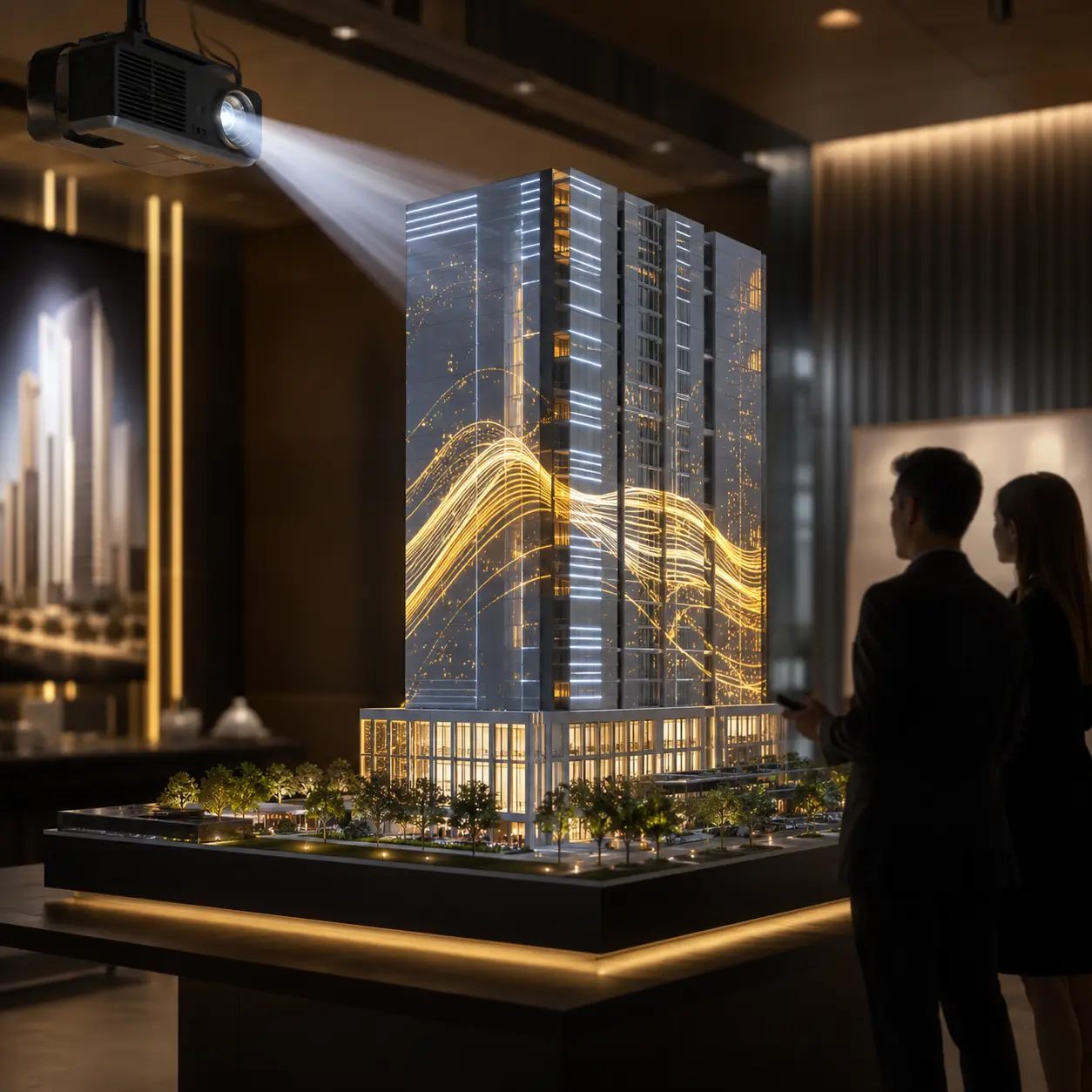
Interactive Masterplan Models: How Lighting, Touchscreens and Projection Help Sell a Community
An interactive masterplan model is a physical scale model of a development that responds to the viewer. LED lighting highlights plots, buildings and amenities, a touchscreen lets sales teams or buyers select units and see their status, and projection can add moving content such as phases, routes or day-to-night changes. Together, these features turn a static model into a guided presentation that helps buyers understand a whole community quickly.
What an Interactive Masterplan Model Does
A large community can include hundreds of plots, several phases and dozens of amenities. A static model shows all of it at once, which can be a lot for a buyer to take in. An interactive masterplan model lets the sales team show one thing at a time: this phase, these available villas, the walk to the school. That makes conversations shorter and clearer, and buyers leave with a better picture of where their home sits.
How the Three Main Features Work
Lighting
LED lighting is the foundation of most interactive models. Small lights are fitted inside buildings, along roads and under plots, and wired to a control system. Lighting can:
- Highlight a single unit, plot or building when it is selected.
- Show availability, for example one colour for available and another for sold.
- Pick out amenities such as schools, parks, retail and mosques.
- Run day-to-night sequences that show the community after dark.
In a sales centre, a lit masterplan model is often the first thing visitors notice, because light draws the eye from across the room.
Touchscreens
A touchscreen, usually a tablet or a larger display beside the model, connects the digital information to the physical model. When a salesperson or buyer taps a unit type, phase or amenity, the matching part of the model lights up. The screen can also show floor plans, renders, prices and availability, so the buyer sees the details and the location at the same time. Some systems link to the developer’s inventory, so availability stays up to date.
Projection
Projection uses a projector above the model to add moving images onto its surface. It can show traffic flows, construction phases, walking routes, water features or the movement of the sun across the site. Projection works best in controlled lighting, such as a dedicated sales gallery, and is often combined with LED lighting rather than replacing it.
Why Interactive Masterplans Matter in the UAE Now
Off-plan homes make up most residential sales in the UAE’s two largest markets. In Abu Dhabi, off-plan accounted for 89% of residential sales value in the first half of 2026, according to the Abu Dhabi Real Estate Centre. When most buyers are choosing homes that are not built yet, a clear view of the whole community, and of exactly where each unit sits, becomes central to the sale.
Developers who have used these models describe the effect in practical terms. As a senior sales manager at ROSHN said in a testimonial about a BIDllc model: “The interactive model makes availability clear, guides clients through the masterplan, and builds purchase confidence.”
Choosing Masterplan Model Makers in Abu Dhabi and Dubai
When comparing masterplan model makers in Abu Dhabi, Dubai or elsewhere in the GCC, ask:
- Have they built interactive models before? Ask to see lighting and touchscreen systems working, not only photos.
- Who builds the electronics and software? Model, lighting and control systems need to work together, so one team taking responsibility for all three avoids gaps.
- Can the system be updated? Availability changes, so check how the data is updated after launch.
- What support is included? Ask about installation, training for the sales team and maintenance.
Having built masterplan models for developers across Abu Dhabi, Dubai and the wider GCC, we know how much the brief, the wiring plan and the on-site setup matter to the final result.
Conclusion
An interactive masterplan model combines a physical model with lighting, touchscreens and, where it suits the space, projection. The result is a presentation that answers buyers’ questions one step at a time and shows exactly where each home sits. To see how these features fit into a wider sales setup, explore our interactive sales solutions.
FAQs
How does a touchscreen masterplan model work?
Each plot, building or amenity is wired to individually controlled LEDs. A tablet or display runs software that maps each item on screen to its lights, so a tap lights up the right part of the model and shows its details.
Can an interactive model show which units are available?
Yes. Lighting can use different colours for available, reserved and sold units. Some systems can be updated by the sales team or linked to the developer’s inventory so the status stays current.
What is projection mapping on a masterplan model?
Projection mapping uses a projector to display moving images onto the model’s surface, such as traffic, construction phases, routes or sunlight. It works best in rooms where the lighting can be controlled.
Are interactive masterplan models worth it compared with a standard model?
For large communities with many phases and unit types, they often are, because they let sales teams answer specific questions quickly. For smaller projects, a well-lit standard model may be enough.
Can an interactive model be updated after launch?
Usually, yes. Availability data and screen content can be updated, and new phases can sometimes be added. Ask the model maker how updates are handled before you commission the model.
Planning an Interactive Masterplan for Your Next Launch?
At BIDllc, we build masterplan models with lighting, touchscreen controls and interactive features for developers across Abu Dhabi, Dubai and the GCC. Share your masterplan with us, and we will recommend the right setup for your sales centre or exhibition.